
P7.4.6A circular pattern
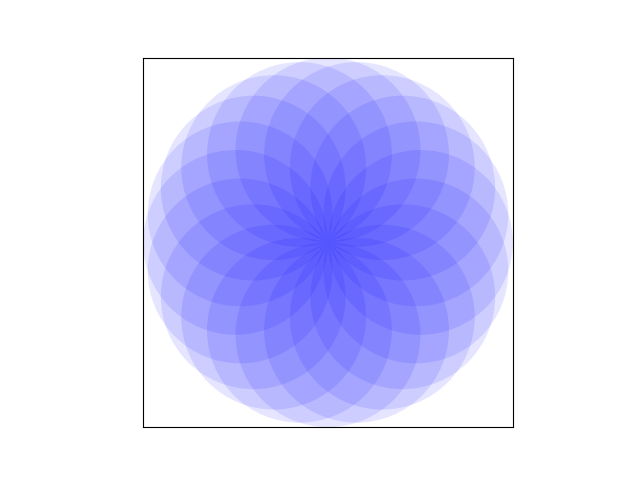
Reproduce the figure below, using Circle patches.
Show solution
The following code produces the required figure by plotting 20 Circle patches (with transparency set to 0.1) with their centres evenly spaced on the circumference of a circle of the same radius.
circularpattern
import numpy as np
import matplotlib.pyplot as plt
from matplotlib.patches import Circle

n = 20
r = 100

fig, ax = plt.subplots(subplot_kw={"aspect": "equal"})
circles = [
    Circle((r * np.sin(phi), r * np.cos(phi)), r, fc="b", alpha=0.1)
    for phi in np.arange(0, 2 * np.pi, 2 * np.pi / n)
]
for circle in circles:
    ax.add_artist(circle)
ax.set_xlim(-2 * r, 2 * r)
ax.set_ylim(-2 * r, 2 * r)
ax.xaxis.set_visible(False)
ax.yaxis.set_visible(False)

plt.show()